
What Are Network Automation Tools?
Popular network automation tools include Selector.ai, SolarWinds Network Configuration Manager, and ManageEngine Network Configuration Manager. These tools automate network tasks like configuration, backup, monitoring, and provisioning, reducing human error and improving network reliability and service quality.
Network automation tools typically automate manual, repetitive, and time-consuming network management tasks. These tasks include device configuration, monitoring, provisioning, and troubleshooting. By automating routine processes, organizations can reduce human error, increase operational efficiency, and improve the consistency of their network services.
The adoption of automation in networking has accelerated with trends like cloud computing, software-defined networking (SDN), and the proliferation of devices. Modern network automation tools often provide APIs, integration with orchestration platforms, and support for multi-vendor environments.
This is part of a series of articles about network monitoring tools.
Key Capabilities and Features of Modern Network Automation Tools
Network Monitoring and Telemetry
Network monitoring and telemetry are core functions of automation tools, enabling continuous visibility into device status, traffic patterns, and overall health. Tools collect data from network devices, interface utilization, error rates, and latency metrics, often in real time. Telemetry extends traditional monitoring by providing granular, high-frequency data feeds from devices, using protocols like gRPC and streaming APIs.
This vast stream of monitoring data lets administrators quickly detect anomalies, predict failures, and take proactive measures. Instead of relying solely on SNMP polling or CLI-based manual checks, operators benefit from event-driven automation. This reduces downtime, shortens troubleshooting windows, and makes automated remediation feasible.
Network Discovery and Inventory
Network discovery is the automated process of identifying all devices, connections, and endpoints on a network. Inventory management systems then maintain a real-time database of device information, including models, serial numbers, firmware versions, and interface details. Modern tools use a combination of protocols (e.g., SNMP, LLDP, ARP, CDP) to map out topologies and dependencies.
An accurate and current inventory provides the foundation for other automation workflows, such as configuration management, compliance checks, and capacity planning. With dynamic environments such as those found in cloud networks or large campuses, automated discovery ensures that changes are detected promptly.
Configuration Management
Configuration management automates the deployment, backup, comparison, and rollback of device configurations. Automation tools can push standardized templates or scripts to groups of devices, ensuring consistent policy enforcement and reducing the risk of configuration drift. This capability is critical during rollouts, mass updates, or emergency remediations.
In addition to making changes, good tools track configuration history for audit and compliance purposes. Rollback mechanisms allow restoration of previous device states in case new changes introduce errors or vulnerabilities. Through version control and automated change management, network teams improve reliability and speed while minimizing manual errors.
Provisioning and Orchestration
Provisioning and orchestration refer to the automation of bringing devices, services, or network segments online, often in response to business demand or IT policies. Automation tools can zero-touch provision switches, routers, firewalls, and virtual appliances, configuring them according to specified templates and associating them with relevant workflows. This process replaces time-intensive manual setup tasks with repeatable, validated automation.
Orchestration takes automation further by coordinating complex multi-step workflows across different platforms and device types. For instance, a new branch rollout might involve not just device provisioning but also WAN routing, VPN setup, security enforcement, and connectivity checks; each step automated and sequenced through orchestration logic.
Compliance and Security Automation
Compliance and security automation ensure that network devices adhere to regulatory requirements, industry standards, and organizational policies. Automation tools conduct continual checks for configuration compliance, unauthorized changes, vulnerabilities, and inconsistent security settings. They generate alerts or automatically remediate violations, such as reverting non-compliant settings or applying missing patches.
Automated compliance reporting simplifies audits, reducing the burden on IT and improving readiness for regulatory reviews. Security automation can also help with rapid incident response, isolating affected systems or deploying temporary mitigations during an active threat.
Notable Network Automation Tools
1. Selector
Selector is an AI-driven observability and network automation platform that unifies monitoring, configuration, and orchestration across hybrid and multi-vendor environments. Its automation framework is powered by advanced correlation, real-time telemetry, and a Model Context Protocol (MCP) that connects AI reasoning directly to operational workflows — allowing teams to move from reactive management to proactive, closed-loop automation.
Key features include:
- Unified telemetry and automation: Continuously ingests metrics, logs, events, flows, and streaming telemetry (e.g., gNMI, NetFlow, SNMP, OpenTelemetry) to enable real-time automation triggers based on live network behavior.
- AI-powered correlation and root cause analysis: Automatically links symptoms across devices, applications, and services to pinpoint the true cause of incidents, enabling event-driven automation and faster remediation.
- Model Context Protocol (MCP) integration: Acts as the foundation for Selector’s AI agent framework, allowing the automation engine to “reason” over live operational data and trigger workflows such as device reconfiguration, alert suppression, or policy enforcement.
- Digital Twin and replay engine: Maintains a continuously updated model of the network state for historical replay, simulation, and validation — ensuring automation actions are verified and explainable before deployment.
- Copilot and natural language automation: Selector’s Network LLM and Copilot interface enable engineers to define, modify, and execute automation workflows through natural language — dramatically reducing scripting complexity and onboarding time.
Selector’s automation capabilities extend beyond simple task execution by combining data quality, AI reasoning, and contextual understanding. The result is a system that not only automates repetitive network tasks but also continuously learns, predicts issues, and adapts to new environments — making it one of the most advanced and scalable platforms in the automation ecosystem.

2. SolarWinds Network Configuration Manager
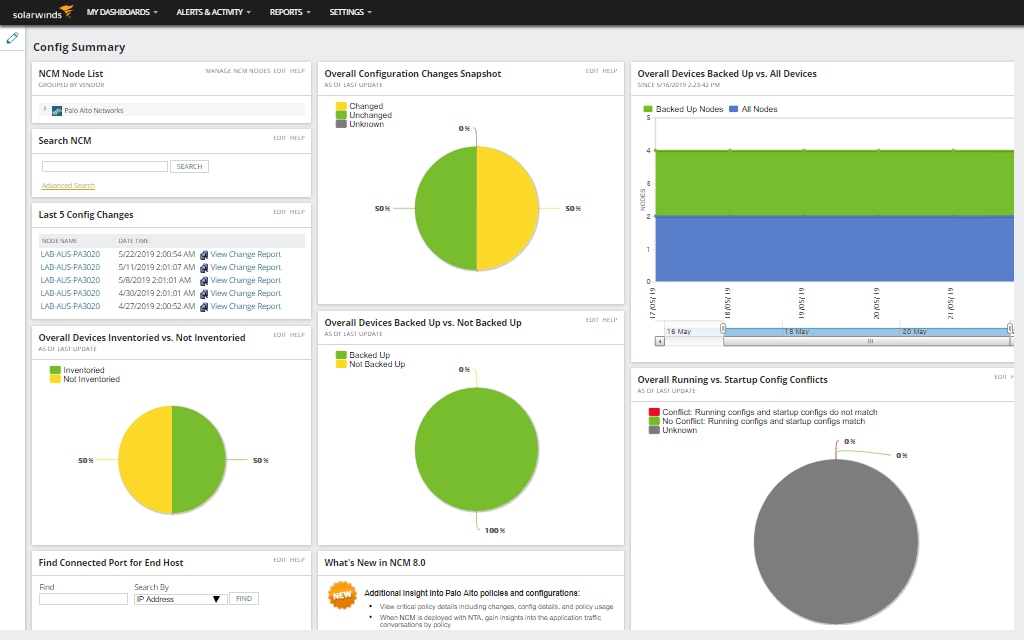
SolarWinds Network Configuration Manager (NCM), part of the Observability Self-Hosted platform, automates the management, backup, and auditing of network device configurations across hybrid IT environments. It helps IT teams maintain configuration consistency, reduce misconfigurations, and enforce compliance with minimal manual effort.
Key features include:
- Automated configuration management: Automate routine configuration tasks, including change deployment, scheduling, and policy enforcement to reduce human error.
- Compliance and audit automation: Perform automated compliance checks and generate detailed audit reports to meet internal policies and external regulations.
- Vulnerability detection and mitigation: Monitor device configurations for potential vulnerabilities and misconfigurations, allowing proactive remediation before issues escalate.
- Backup and restore: Automatically back up network device configurations and restore them as needed to ensure business continuity after failures or incorrect changes.
- Network inventory: Maintain an up-to-date inventory of network devices and configurations for better visibility and lifecycle management.

3. ManageEngine OpManager
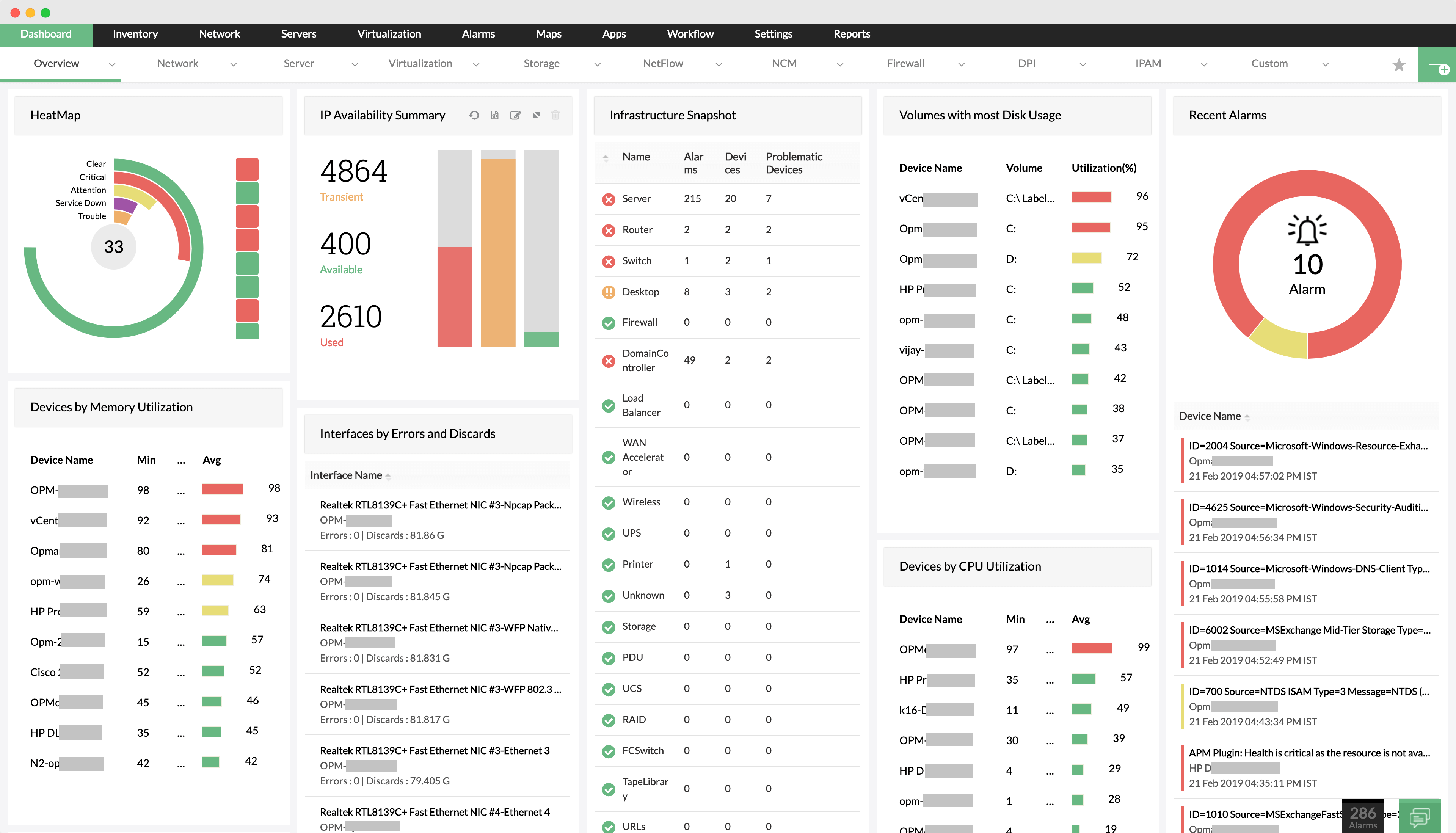
ManageEngine OpManager is an integrated network and server monitoring solution that provides visibility into the health, availability, and performance of IT infrastructure. From routers, switches, firewalls, and access points to servers, VMs, and storage devices, OpManager consolidates monitoring into a single platform with diagnostics and alerting capabilities.
Key features include:
- Network monitoring: Continuously monitors the performance and availability of IP-based devices, providing live metrics for traffic, errors, and device health.
- Server and virtualization monitoring: Supports physical and virtual environments including VMware, Hyper-V, Citrix, Xen, and Nutanix, ensuring server uptime and resource optimization.
- Wireless network monitoring: Tracks performance of wireless infrastructure like access points, wireless routers, and WiFi systems, including signal strength and traffic metrics.
- WAN monitoring: Uses Cisco IPSLA to measure WAN link availability and performance, helping diagnose and resolve connectivity and latency issues across distributed sites.
- Cisco ACI monitoring: Discovers and monitors the complete Cisco ACI fabric including controllers, tenants, endpoint groups, and fabric components.

4. Auvik
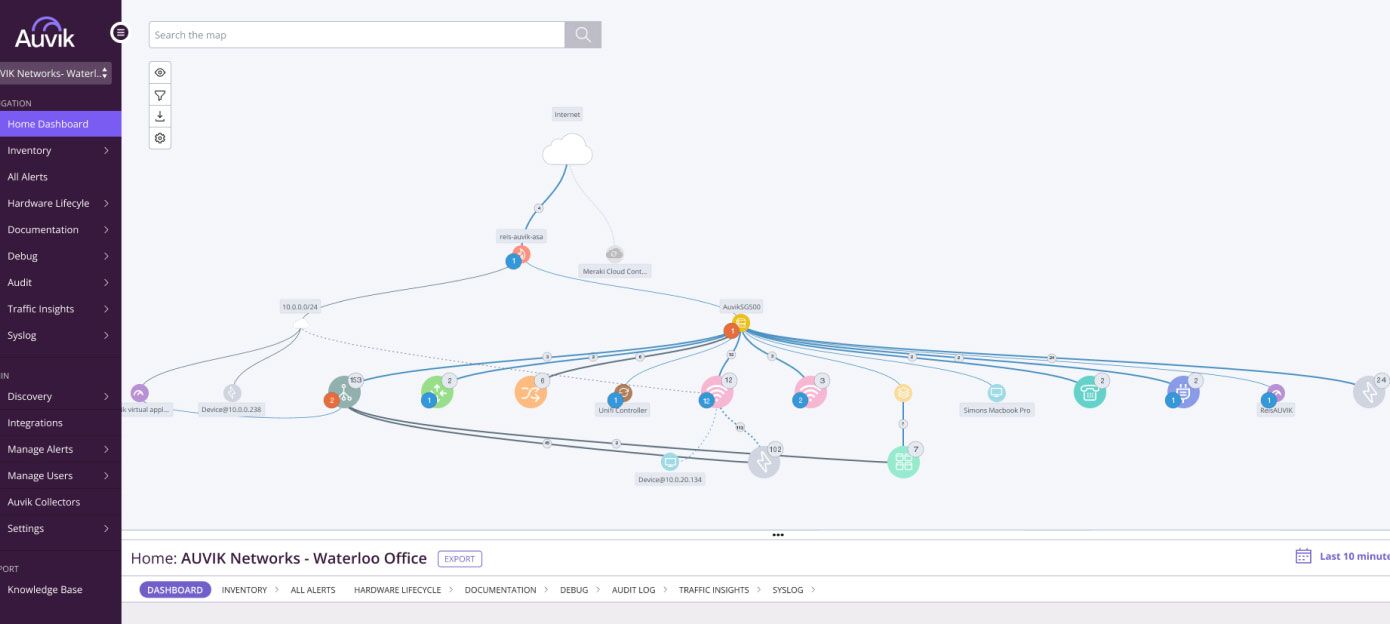
Auvik is a cloud-based network automation platform to simplify the management of IT infrastructure through network mapping, automated configuration management, and compliance tracking. The platform automatically discovers devices, maps network topology, and continuously monitors configuration changes without requiring manual input.
Key features include:
- Automated mapping and topology discovery: Instantly identifies and visualizes all network devices and connections using protocols like SNMP, LLDP, and CDP, with real-time updates and multi-layer topology views.
- Simplified change management: Standardized templates and automated controls help roll out updates efficiently while preventing unauthorized or incompatible changes.
- Automated configuration backups: Scans devices hourly to detect configuration changes, creating backups automatically and tracking version history with clear, color-coded diffs.
- Change tracking and version comparison: Logs every config change across the environment and makes it easy to compare previous versions to identify additions, edits, or removals.
- Compliance auditing support: Generates reports for device configurations, firmware versions, and security updates, keeping teams audit-ready.

5. Red Hat Ansible Automation Platform
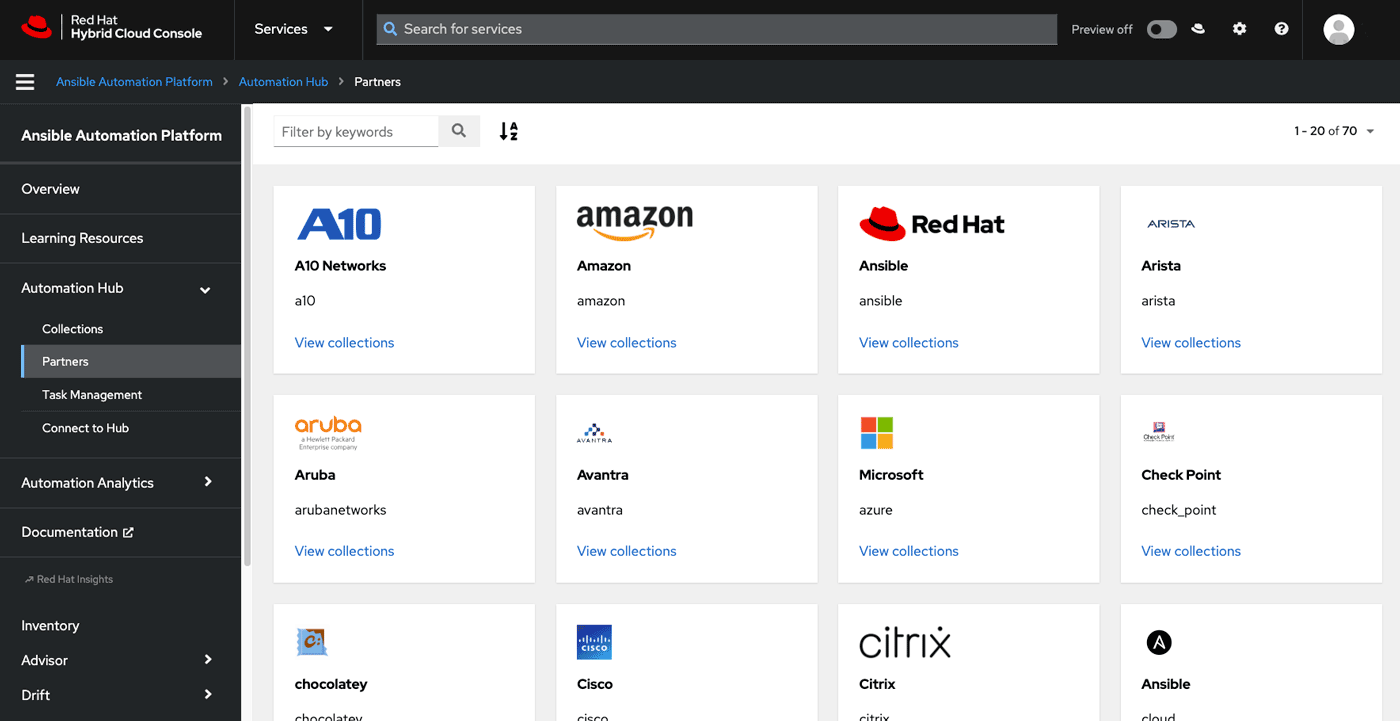
Red Hat Ansible Automation Platform is a solution for automating network operations across distributed environments. It enables network engineers to manage devices and processes through reusable playbooks, trusted inventories, and event-driven workflows. Ansible supports multivendor hardware, allowing teams to automate operations across switches, routers, firewalls, and load balancers using CLI syntax.
Key features include:
- Workflow automation: Chain multiple playbooks and tasks into end-to-end automated processes that run across different users, inventories, and teams.
- Multivendor support: Automate configuration and management across various vendor devices using a unified platform.
- Event-driven automation: Trigger responses based on telemetry or monitoring data to perform real-time remediation or policy enforcement.
- Source of truth integration: Sync with IPAMs, inventory systems, and Git to ensure configurations are always trusted and version-controlled.
- Edge deployment: Extend automation from data centers to remote and edge locations with consistent security and policy controls.

6. NetBrain
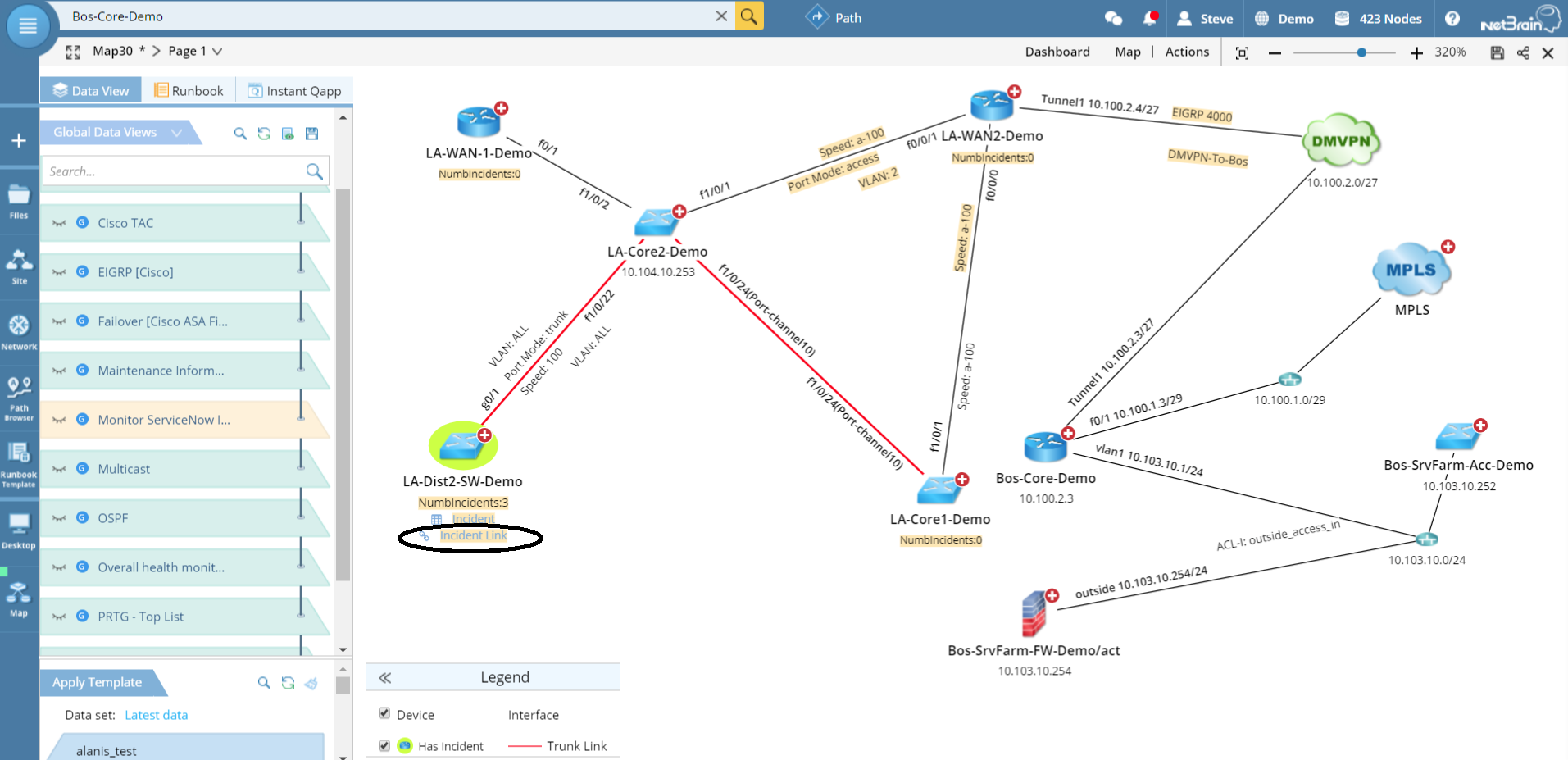
NetBrain is a no-code network automation platform to simplify “Day 2” operations such as troubleshooting, change management, and outage prevention. Instead of relying on scripts or programming, NetBrain lets engineers use their domain expertise to build intent-based automation through a visual interface.
Key features include:
- No-code automation: Build automated workflows without scripting, using visual tools and network expertise to define diagnostic and operational procedures.
- Digital twin technology: Maintain a live, continuously updated model of the network, including topology, device states, configurations, and traffic paths.
- Network intents: Define and monitor the intended behavior of the network to drive automated assessments and ensure alignment with business requirements.
- Dynamic maps: Visualize topology and traffic flows to support root cause analysis and situational awareness.
- Automation library: Centralize institutional knowledge by storing and sharing reusable automation procedures across teams.

7. Unimus
Unimus is a network configuration management (NCM) platform that simplifies automation, backup, change tracking, and compliance auditing across multi-vendor environments. Built by network engineers for practical use, it delivers automation features in a fast-to-deploy package.
Key features include:
- Configuration backup: Automatically backs up device configurations across the network, ensuring quick recovery and version history without manual intervention.
- Change management: Detects and highlights config changes between versions, helping teams quickly identify modifications and maintain consistency.
- Auditing and compliance: Tracks and logs all configuration activity, providing detailed records for audits and helping enforce internal policies or regulatory standards.
- Vendor-agnostic support: Works across a wide range of network devices from major vendors, enabling unified management in mixed environments.
- Fast deployment: Installs in minutes with minimal setup, allowing organizations to start managing their network configurations quickly.

8. TrueSight Automation for Networks
TrueSight Automation for Networks is an enterprise solution for automating network configuration, compliance, and vulnerability management. Intended to support secure, repeatable network changes, it enables IT teams to manage devices with automation instead of manual, device-by-device operations.
Key features include:
- Automated vulnerability management: Identifies and remediates security vulnerabilities using threat intelligence from NIST and vendor databases.
- Configuration changes: Apply changes across thousands of devices using SmartMerge technology, which generates scripts for updates or rollbacks without requiring device reboots.
- Policy-based compliance enforcement: Enforce regulatory standards like CIS and DISA through pre-built policy templates and automated remediation of non-compliant devices.
- Zero-downtime patching: Perform image updates and patch deployments while maintaining device uptime, reducing impact on operations.
- Device provisioning: Automate the deployment of new physical or virtual network devices using gold-standard configuration templates.

Conclusion
Network automation tools have become essential for managing increasingly complex and dynamic IT environments. By automating tasks such as configuration, monitoring, provisioning, and compliance enforcement, these tools help organizations reduce human error, improve consistency, and respond faster to operational demands. As networks expand to include cloud, edge, and multi-vendor systems, automation provides the scalability and reliability needed to maintain performance and security while enabling IT teams to focus on higher-value strategic initiatives.
Learn more about how Selector’s AIOps platform can transform your IT operations.
To stay up-to-date with the latest news and blog posts from Selector, follow us on LinkedIn or X and subscribe to our YouTube channel.